Why Is My Phone Storage Full Even After Deleting Photos?
Why Is My Phone Storage Full Even After Deleting Photos?

You deleted 500 photos, emptied the trash, and your phone cheerfully informs you that storage is still full. It’s infuriating. Why is my phone storage full even after deleting photos? Where did all that space you just freed actually go?
The answer is that photos were never your real problem — or rather, they were only part of it. Your phone has several hidden storage hogs that don’t show up obviously, and deleting photos barely dents them. Let’s find your actual space thieves.
Why is my phone storage full even after deleting photos?
The Hidden Hogs: What’s Really Eating Your Storage
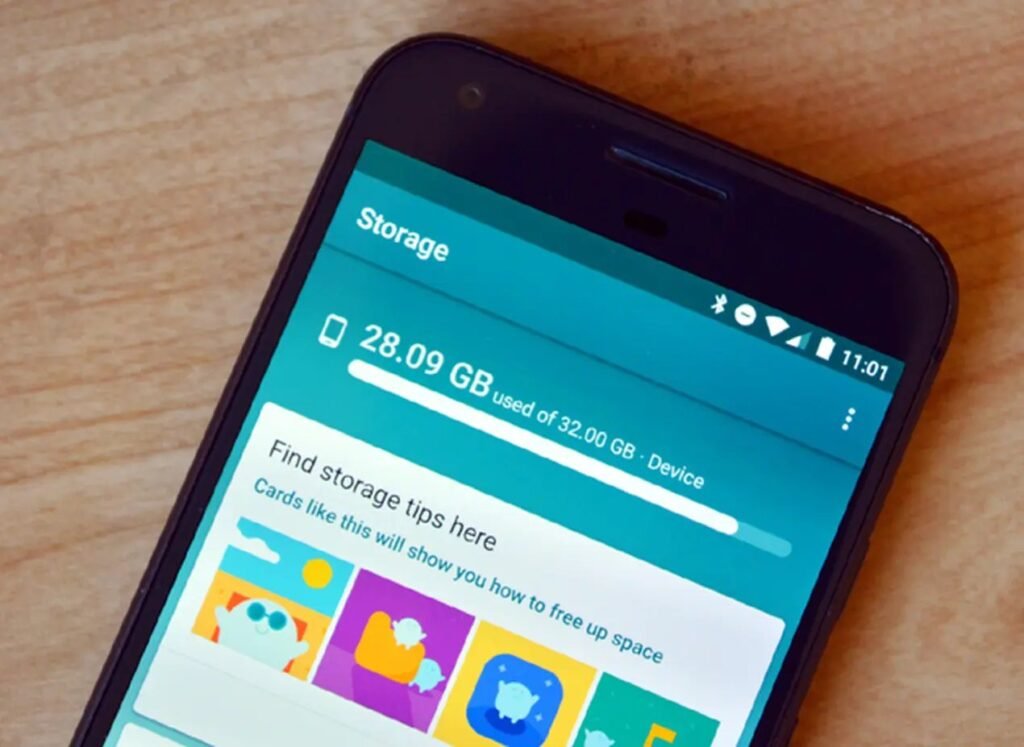
Check Settings > General > iPhone Storage (iPhone) or Settings > Storage (Android) and look at the breakdown — the truth is in the bar chart. The usual suspects: the ‘System’ or ‘Other’ category ballooning to 10–20 GB of caches and logs; messaging apps hoarding gigabytes of videos and memes (WhatsApp and Telegram are notorious — check their storage settings); streaming apps with downloaded content you forgot about (Netflix, Spotify, YouTube offline); and the big one people miss — recently deleted photos still sitting in the trash for 30 days, counting against your storage until they expire.
On iPhones specifically, the ‘System Data’ category growing out of control is often Safari cache, old iMessage attachments, or failed update files. On Android, it’s usually app caches and the miscellaneous files in the Downloads folder. The pattern: it’s rarely one big thing — it’s five medium things, which is why deleting photos (one medium thing) didn’t move the needle.
The Targeted Cleanup (Biggest Wins First)
Start with messaging apps: in WhatsApp, go to Settings > Storage and Data > Manage Storage and delete the giant videos from group chats (review first — don’t nuke the family memories). In Telegram, clear the cache in Settings > Data and Storage. These two apps alone often free 5–15 GB. Next, check streaming apps: Netflix/Disney+ downloads, Spotify offline playlists, podcast apps with auto-download on — delete what you’ve already watched or heard.
Then clear the system cruft: on iPhone, offload unused apps (Settings > General > iPhone Storage > Offload Unused Apps — this removes the app but keeps your data), review the Recently Deleted album and delete permanently, and check Safari’s website data. On Android, clear cached data per-app starting with browsers and social media, and empty the Downloads folder. A restart after cleanup lets the system reclaim space properly. For a permanent fix to photo storage specifically, see free photo backup methods — offloading photos to backup instead of deleting them.
When Cleanup Isn’t Enough
If you’ve cleaned everything and you’re still under 2 GB free, you’re fighting a losing battle against a phone with too little storage for modern apps. App sizes grow every year — a 64 GB phone in 2026 is genuinely tight. Your options: move to cloud-first habits (stream instead of download, use cloud photo libraries), or accept that the next phone needs more storage.
When shopping for that next phone, storage is the spec most worth paying for — the jump from 128 GB to 256 GB is usually $100 and pays off for years. And check fair used phone prices if you’re upgrading on a budget. But first, do the messaging-app cleanup — I’d bet money that’s where your missing gigabytes are hiding.
Quick Answers
- Check the breakdown: Settings > Storage — find whether it’s System, apps, or media.
- Messaging apps first: WhatsApp/Telegram group videos often hide 5–15 GB.
- Streaming downloads: delete watched Netflix downloads, old podcast episodes, unused Spotify offline.
- Empty the trash: Recently Deleted photos count against storage for 30 days.
- iPhone: Offload Unused Apps; clear Safari website data.
- Android: clear per-app caches; empty the Downloads folder.
- Still under 2 GB free? Your next phone needs more storage — 256 GB is the 2026 sweet spot.
The Bottom Line
Your phone storage is full even after deleting photos because photos weren’t the main problem — messaging app media, forgotten downloads, system caches, and trash that hasn’t emptied yet are the real hogs. Target those and you’ll typically free 10–20 GB without losing anything you care about.
Do the cleanup, then fix the root cause: get photos backing up automatically so you’re offloading instead of deleting, and buy more storage next time. Storage anxiety is optional — it just takes one thorough cleanup and better habits to end it.
Frequently Asked Questions
Why is ‘Other’ or ‘System Data’ taking up so much space?
On iPhone, System Data includes caches, logs, Siri voices, and failed update files — it grows silently and can hit 15–20 GB. The fixes: update iOS (updates clean house), clear Safari website data, delete and reinstall bloated apps (this purges their caches), and as a last resort, back up and restore the phone (restores compact system data dramatically). On Android, the equivalent is per-app cache clearing and the Downloads folder. It’s digital plaque — regular cleaning prevents buildup.
Do cloud photo services free up phone space automatically?
Google Photos and iCloud both offer ‘free up space’ features that remove local copies of already-backed-up photos — this is the single best storage management tool most people ignore. iCloud’s ‘Optimize iPhone Storage’ keeps thumbnails locally and full versions in the cloud. Enable these and photo storage stops being a problem permanently. The catch: you need enough cloud storage, which is the subscription question — or use the free-tier rotation strategy from our backup guide.
Why does my phone say storage full when I have an SD card?
Because apps, system files, and many app caches must live on internal storage — the SD card only holds what you explicitly move there (photos, videos, some downloads). If internal storage is full, the SD card doesn’t help. Move media to the SD card (camera settings can save there by default), but recognize that a phone with 32 GB internal in 2026 is fighting physics. Also: cheap slow SD cards cause their own problems — get a reputable UHS-I card or skip it.
Should I just buy a phone with more storage next time?
Yes — storage is the spec most worth paying for. The $100 jump from 128 GB to 256 GB pays off daily for years, while the $100 jump to a slightly faster chip is invisible. Most people’s phones die of storage pressure long before performance becomes an issue. 256 GB is the 2026 sweet spot; 128 GB is workable with cloud discipline; 64 GB is a trap. Future you, not managing storage monthly, will thank present you. Check current iPhone storage options to see how the tiers price out.