How Much Does It Cost to Replace the Battery in an Older iPhone?
How Much Does It Cost to Replace the Battery in an Older iPhone?

Your iPhone shuts off at 30%, the battery health reads 76%, and you’re charging twice a day. A new iPhone costs $800+, but the phone itself is fine — it just needs a new battery. How much does it cost to replace the battery in an older iPhone? Less than you probably fear, and it’s one of the best-value repairs in tech.
Whether you’re nursing an iPhone 11, 12, or even older, here’s the full price breakdown across Apple, independent shops, and DIY — plus when a battery replacement isn’t worth it.
How much does it cost to replace the battery in an older iPhone?
Official Apple Battery Replacement Prices
Apple’s out-of-warranty battery service is the premium option: $89 for iPhone X through iPhone 14 models, $99 for iPhone 15 and 16 series (prices as of 2026 — Apple nudges these occasionally). If you have AppleCare+, it’s free. The price includes genuine parts, a warranty on the repair, and no risk to your remaining water resistance — Apple reseals the phone properly, which matters.
The catch is logistics: Apple Stores and authorized providers may need a few hours or a few days, and you’ll need an appointment. But for a phone you plan to keep another 2+ years, the genuine battery and proper resealing are worth the premium over a shop. Check Apple’s support site for current pricing before you go — and if your iPhone is under AppleCare+, just do it; you’ve already paid for it.
Independent Shops and DIY: The Cheaper Routes
Independent repair shops typically charge $50–$80 for an iPhone battery replacement on older models — $20–$40 less than Apple. The quality varies with the part: good shops use high-quality aftermarket batteries that perform nearly identically to Apple’s; cheap shops use batteries that may show ‘non-genuine part’ warnings and degrade faster. Ask what battery they install and what warranty they offer (90 days minimum). For iPhones 11 and older, independent shops are excellent value.
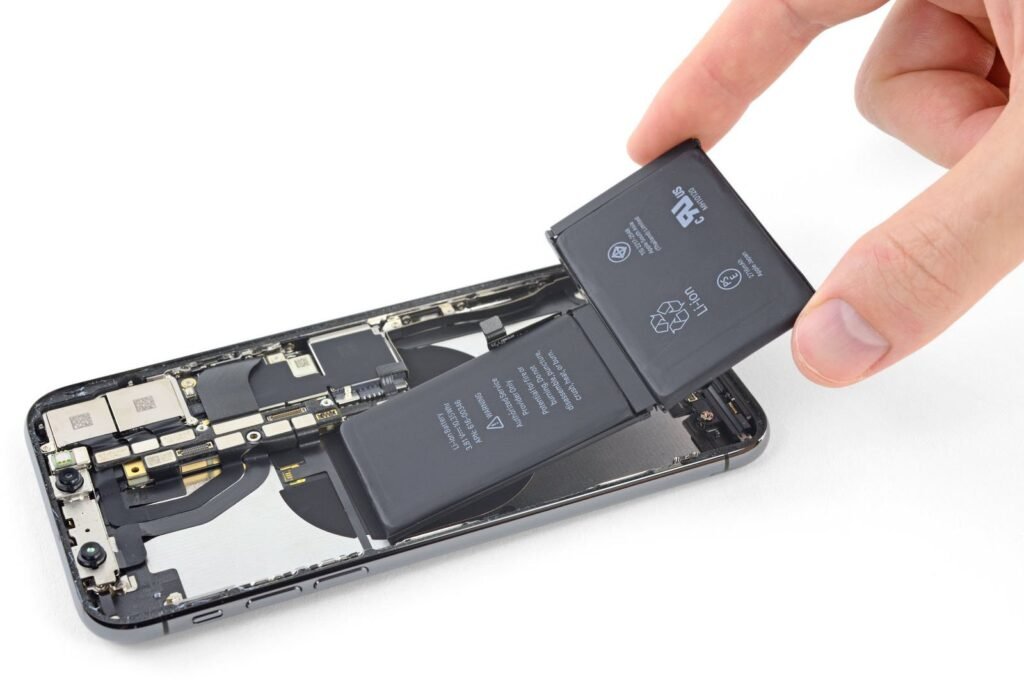
DIY kits run $20–$40 (iFixit being the reputable source), and iPhone battery swaps are among the more doable phone repairs — but ‘doable’ still means adhesive, tiny screws, and genuine risk of damaging the screen during opening. I’d only recommend DIY if you’ve opened electronics before and the phone is old enough that a mishap isn’t catastrophic. One more consideration: iPhones with replaced-by-third-party batteries may show a ‘battery health unknown’ message on newer iOS versions. It doesn’t affect function, but it’s worth knowing.
When a New Battery Isn’t the Answer
A fresh battery transforms a phone with a worn battery — but it can’t fix a phone that’s slow for other reasons. If your iPhone is also struggling with mysterious overnight drain that persists with a healthy battery, or it’s an iPhone X or older that can’t run current iOS securely, put the $89 toward a replacement instead. Check fair used iPhone prices — a used iPhone 13 at $300–$450 is often smarter than sinking money into an iPhone 8.
The math: if the battery replacement is under 25% of the phone’s current value and the phone meets your needs, do it — you’ll get 2+ more years. That’s an incredible return on $50–$89. It’s genuinely the highest-ROI repair in all of consumer tech, which is why repair shops recommend it so readily. Just make sure the battery is actually the problem first: check Settings > Battery > Battery Health. Under 80% with your symptoms? Replace with confidence.
Quick Answers
- Apple official: $89 (iPhone X–14), $99 (15/16 series); free with AppleCare+.
- Independent shops: $50–$80 — ask about part quality and warranty (90+ days).
- DIY kits: $20–$40 (iFixit); doable but risky for beginners.
- Third-party batteries may show ‘unknown part’ warnings on newer iOS — cosmetic, not functional.
- Worth it when: battery health under 80%, phone otherwise meets your needs, cost under 25% of phone value.
- Skip when: phone can’t run current iOS, or multiple other problems exist — buy used instead.
The Bottom Line
Replacing the battery in an older iPhone costs $89 at Apple, $50–$80 at independent shops, or $20–$40 DIY. For a phone that’s otherwise working well, it’s the single best-value repair you can buy — two more years of life for under a hundred bucks.
Check your battery health first, pick your repair route based on how long you’ll keep the phone, and don’t let a $70 battery push you into an $800 upgrade you don’t need. The most sustainable phone is the one you already own.
Frequently Asked Questions
How long does an iPhone battery replacement take?
At an Apple Store: typically 1–3 hours with an appointment, sometimes same-day without. Authorized providers: same day to a few days. Independent shops: 30–60 minutes while you wait. Mail-in service: 5–7 business days. Back up your phone before any service — battery replacement shouldn’t touch data, but ‘shouldn’t’ isn’t ‘won’t.’ The in-store options are fastest; mail-in is for people far from service centers.
Will Apple replace my battery if the phone has other damage?
If the damage affects the repair (cracked screen that must be removed to access the battery), Apple will require fixing that first — at additional cost. Minor cosmetic wear is fine. Third-party prior repairs can complicate things: Apple may refuse service on phones with unauthorized modifications. Independent shops are more flexible about working on previously-repaired phones. Disclose prior repairs upfront to avoid surprises.
Is a $29 battery replacement deal legit?
Almost certainly not for a quality job — a decent battery alone wholesales for $15–$25, leaving nothing for labor, rent, and warranty at $29. Ultra-cheap batteries are often low-capacity cells that degrade in months or lack proper safety circuitry. The realistic floor for a legitimate independent shop is $50–$70. If the price seems too good, the battery is the corner being cut — and the battery is the one part you don’t want corners cut on. Apple’s official battery service pricing sets the ceiling; reputable independents cluster 20–40% below it.
Can I replace the battery myself and keep water resistance?
Realistically, no — restoring the factory adhesive seal requires specific adhesives and technique, and even Apple considers water resistance compromised after any opening (their warranty doesn’t cover water damage regardless). DIY kits include replacement adhesive, but achieving a true seal at home is unreliable. If water resistance matters to you, use Apple or an authorized provider. If the phone is old enough for DIY, water resistance was probably already degraded anyway.