Why Does My Wi-Fi Keep Dropping in One Room of My House?
Why Does My Wi-Fi Keep Dropping in One Room of My House?

It’s always the same room. The Wi-Fi is fine in the living room, fine in the kitchen, but step into the bedroom or the home office and your video call freezes, pages stall, and your phone clings to one bar. Why does my wifi keep dropping in one room of my house when everywhere else works perfectly?
This is the most common home networking complaint there is, and the good news is it’s almost never a mystery — it’s physics. Walls, distance, and interference create dead zones in predictable ways, and most of them are fixable without buying anything. Let’s diagnose your dead room.
Why does my wifi keep dropping in one room of my house?
The Usual Suspects: What’s Blocking Your Signal
Wi-Fi is radio waves, and radio waves hate certain things. The number one killer is distance plus walls — every wall between your router and that room eats signal, and some walls are worse than others. Brick, concrete, plaster with metal lath (common in older homes), and even mirrors and fish tanks can devastate a signal. If your dead room is on the opposite side of the house from the router with two brick walls between, you’ve found your answer.
The sneakier culprit is interference. Microwaves, baby monitors, Bluetooth devices, and — ironically — your neighbor’s Wi-Fi can all stomp on your signal, especially on the crowded 2.4 GHz band. If the drops happen at specific times (every evening at 7, say), interference from a neighbor’s network or a device on a timer is likely. And don’t overlook the obvious: a router stuffed in a cabinet, behind the TV, or sitting on the floor is broadcasting at half strength before the signal even leaves the room.
Free Fixes to Try First
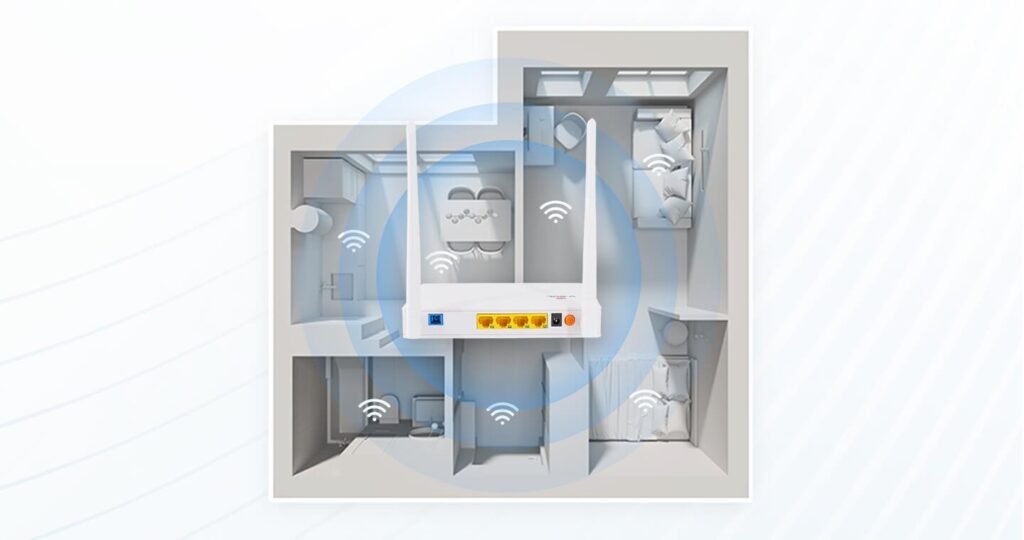
Start with placement. Your router should be central, elevated (shelf height, not the floor), and out in the open — not in a closet or behind furniture. Moving a router six feet can transform a dead zone. I once fixed a friend’s ‘broken’ bedroom Wi-Fi by moving the router from inside a media cabinet to the top of it. Five seconds, zero dollars.
Next, switch bands. Most routers broadcast both 2.4 GHz (slower, longer range, more interference) and 5 GHz (faster, shorter range). In the problem room, try forcing your device onto 2.4 GHz — it punches through walls better. Then restart the router (unplug 30 seconds, plug back in) and check for firmware updates in the router’s admin page. Finally, try changing the Wi-Fi channel: use a free analyzer app to find the least crowded channel among your neighbors’ networks, especially on 2.4 GHz where only channels 1, 6, and 11 don’t overlap.
When You Actually Need New Gear
If free fixes don’t cut it, the right hardware depends on your house. For a single dead room, a $25–$40 Wi-Fi extender placed halfway between the router and the room often works — but place it where the signal is still decent, not inside the dead zone itself (an extender can’t amplify a signal it can’t hear). For larger homes or multiple dead spots, a mesh system ($150–$300 for a 2–3 pack) is the real answer and worth every penny.
Powerline adapters ($40–$70) are the dark horse: they send internet through your home’s electrical wiring to an adapter in the dead room, which then broadcasts fresh Wi-Fi. They work brilliantly in houses with thick walls where Wi-Fi extenders struggle. Just avoid plugging them into power strips. And if your whole connection is slow — not just one room — check how much internet speed you really need before blaming the router.
Quick Answers
- Move the router: central, elevated, out in the open. The highest-impact free fix.
- Switch to 2.4 GHz in the problem room for better wall penetration.
- Change channels: use a Wi-Fi analyzer app; stick to 1, 6, or 11 on 2.4 GHz.
- Restart + update: reboot the router, then check for firmware updates.
- Single dead room: $25–$40 extender placed halfway, where signal is still okay.
- Thick walls / big house: mesh Wi-Fi system ($150–$300) or powerline adapters ($40–$70).
- Still buffering on TV? See why Netflix buffers but YouTube doesn’t.
The Bottom Line
Wi-Fi dropping in one room of your house is almost always distance, wall materials, or interference — not a broken router or a bad ISP. Work through the free fixes first (placement, band, channel), and most dead zones disappear without spending a dime.
If you do spend money, spend it on the right thing: an extender for one room, mesh for a big house, powerline for thick walls. And place whatever you buy thoughtfully — the fanciest mesh node in the world won’t help if it’s sitting inside the dead zone trying to hear a whisper. Fix the physics, and the bars come back.
Frequently Asked Questions
Can my neighbor’s Wi-Fi really interfere with mine?
Yes — it’s one of the most common causes of mysterious drops. In apartments and dense neighborhoods, dozens of networks fight over the same channels, especially on 2.4 GHz where only three channels don’t overlap. A Wi-Fi analyzer app shows you the battlefield; switching to the least crowded of channels 1, 6, or 11 often fixes evening slowdowns immediately. On 5 GHz there’s more room, but the signal doesn’t travel as far. Your router’s ‘auto’ channel selection is notoriously lazy about this — check manually.
Why does my Wi-Fi drop only on one device?
Then it’s the device, not the network. Update the device’s Wi-Fi drivers (laptops) or OS (phones), ‘forget’ the network and reconnect fresh, and check for power-saving settings that put the Wi-Fi radio to sleep aggressively. Old devices with outdated Wi-Fi standards (802.11n or older) also struggle on modern networks — a $15 USB Wi-Fi adapter can resurrect an old laptop. If every device drops in the same room, it’s the signal; if one device drops everywhere, it’s the device.
Does a microwave really kill Wi-Fi?
Genuinely yes. Microwaves operate at 2.45 GHz — right on top of Wi-Fi’s 2.4 GHz band — and a running microwave can obliterate nearby 2.4 GHz connections. If your video calls die every time someone heats lunch, that’s why. Fixes: move the router away from the kitchen, or move affected devices to 5 GHz, which microwaves don’t touch. Baby monitors, cordless phones, and Bluetooth devices can cause similar (weaker) interference. The physics of Wi-Fi interference is well documented — it’s not superstition.
Pingback: Public Wi-Fi Banking: Safe or Not? The Real Answer
Pingback: Connect Wireless Printer to New Wi-Fi: Step-by-Step
Pingback: Phone Battery Draining Overnight? Causes & Fixes
Pingback: Netflix Buffers but YouTube Doesn't? Why & How to Fix