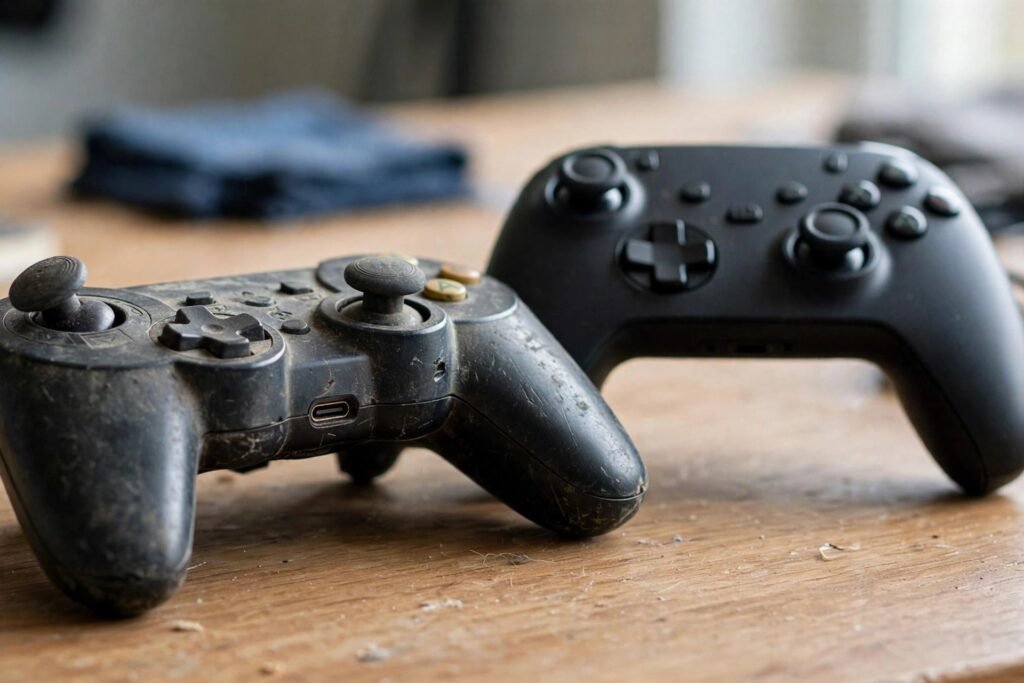
When Should You Replace Your Gaming Controller? 5 Signs
It starts subtly: your character drifts left when your thumbs are off the sticks. Aim feels… off, in a way you cannot quite name. Then one day you are fighting the controller more than the game — and the question arrives: is it time to replace this thing, or am I just making excuses for bad play?
Gaming controllers are consumables with a finite lifespan, and knowing the signs of a dying controller — versus fixable problems — saves money and frustration. This guide covers the failure modes, the diagnostic tests, what to try before replacing, and when the replacement (or upgrade) is genuinely the right call.
The Failure Modes: How Controllers Die
Stick drift (the #1 killer). The analog sticks register movement with no input. Cause: the potentiometers (or Hall-effect sensors in newer designs) inside the stick module wear out — physical contacts degrade with use, dust infiltrates, springs weaken. Modern controllers’ stick modules are typically rated for ~2 million cycles, which sounds like a lot until you divide by a competitive gamer’s inputs: heavy players can wear through sticks in 12-18 months. Drift that persists after cleaning and recalibration is terminal — the module itself is worn.
Button degradation. Face buttons, bumpers, and triggers use rubber dome or mechanical switches rated for millions of presses — but the bumpers (LB/RB, L1/R1), which take constant abuse in shooters, fail first. Symptoms: double-registering presses, mushy feel, or complete non-response. Triggers develop “sponginess” as their springs fatigue.
Battery decay. Lithium-ion batteries lose capacity with charge cycles and age — a controller that once lasted 40 hours dying after 6 has a worn battery, not a power-hungry game. This is the most fixable failure (see below).
Connectivity issues. Bluetooth dropouts, input lag spikes, or failure to pair often trace to antenna damage (from drops), firmware corruption, or wireless interference — not necessarily a dead controller.
Physical damage. Cracked shells from drops or rage-quits (we have all been there), broken trigger stops, damaged USB ports from yanked cables. Structural damage is usually the clearest replace signal.
Diagnose Before You Replace: The Tests
The drift test: on PC, open a gamepad tester (hardwaretester.com/gamepad or Steam’s controller config) and watch the stick readouts with thumbs off — any persistent non-zero value is drift. On console, the system calibration screens show the same. Test across devices — drift that appears on one console but not PC may be a software/calibration issue, not hardware.
The button test: the same tester tools show every button press. Mash each button 20 times: missed or doubled inputs reveal switch failure. Pay special attention to bumpers and the stick click (L3/R3).
The battery test: fully charge, then time actual use until death. Compare to the rated life (PS5 DualSense ~12-15 hrs new, Xbox ~40 hrs, Switch Pro ~40 hrs). Under 50 percent of rated life means the battery is significantly degraded.
The interference test: for wireless issues, try wired mode (USB) — if problems vanish, the issue is wireless (interference, antenna), not the controller’s core. Try a different room, away from routers and microwaves.
What to Try Before Replacing
Clean the sticks. Compressed air around the stick base dislodges dust — the cause of a surprising share of mild drift. For deeper cleaning, isopropyl alcohol on a cotton swab around the stick housing (power off, battery out if removable). This fixes maybe a third of drift cases.
Recalibrate. Consoles and Steam offer stick calibration/deadzone adjustment. Increasing the deadzone slightly (from 0 to 5-8 percent) masks minor drift invisibly — a legitimate fix for borderline cases, not a cheat.
Update firmware. Controller firmware updates fix connectivity and input bugs regularly; an “old” controller misbehaving may just be behind on updates. Check monthly.
Replace the battery. For controllers with user-replaceable batteries (Xbox), this is trivial. For sealed controllers (DualSense, Switch Pro), third-party battery kits ($15-$25) plus a YouTube tutorial make it a 20-minute job — far cheaper than a $70 replacement. This alone extends controller life by years, in the same spirit as repurposing old tech instead of trashing it.
Replace stick modules (advanced). Hall-effect replacement sticks ($10-$20) solder into most controllers and are drift-immune by design (magnetic sensing, no physical contact). If you can solder — or know someone who can — this is the permanent drift fix and the enthusiast’s choice. Several companies now sell no-solder kits for popular controllers.
General device-care habits extend controller life too — the same maintenance mindset behind keeping a phone running well applies: updates, cleaning, and not ignoring small problems until they are big ones.
When Replacement Is the Right Call
Replace when: drift persists after cleaning and recalibration (worn module), multiple buttons failing (switch wear across the board), structural damage (cracked shell, broken triggers), repair costs exceed half the replacement price, or the controller is 3+ years old with heavy use and showing multiple symptoms. Also consider replacement when your needs changed — a competitive player on a standard controller may benefit more from upgrading to a pro controller (back paddles, trigger stops, Hall-effect sticks) than from replacing like-for-like.
The pro controller question: $150-$200 controllers (Xbox Elite, DualSense Edge, SCUF, etc.) offer genuine competitive advantages — back paddles keep thumbs on sticks, trigger stops shorten pull distance, adjustable tension fine-tunes aim. Worth it for serious competitive players; overkill for casual play. Note their stick modules wear like any other — some pro controllers now offer user-replaceable stick modules, which is the feature to prioritize.
Extending the Next One’s Life
Store controllers in a case or drawer (dust is the enemy), avoid eating over them (crumb infiltration kills buttons), do not yank cables, keep firmware updated, and rotate between two controllers if you play heavily — halving the duty cycle more than doubles lifespan since wear is nonlinear. And dial in deadzones early: a controller with 5 percent deadzone configured from day one will feel “fine” years longer than one run at zero.
For platform-specific support, PlayStation and Xbox both publish controller troubleshooting and repair guides, including warranty terms (typically 1 year — check before buying a replacement for a recent controller).
Conclusion
Replace your gaming controller when drift survives cleaning and recalibration, when multiple inputs fail, or when structural damage or repair economics say so — typically every 2-4 years for heavy players, longer for casual ones. Before replacing, try the cheap fixes: compressed air, recalibration, firmware updates, and battery replacement resolve the majority of “dying controller” complaints. And when you do buy, consider Hall-effect sticks or replaceable modules — the drift problem is solvable, and the industry is finally solving it.
Frequently Asked Questions
What causes stick drift?
Wear of the potentiometer contacts inside the analog stick module, plus dust infiltration and spring fatigue. Standard modules are rated for ~2 million cycles — heavy players can exceed that in 12-18 months.
Can stick drift be fixed without replacing the controller?
Sometimes: compressed-air cleaning fixes dust-caused drift (~1/3 of cases), recalibration/deadzone adjustment masks minor drift, and Hall-effect replacement modules (soldered) permanently fix worn sticks. Persistent drift after cleaning means the module is worn out.
How long should a gaming controller last?
2-4 years for heavy daily players, 4-6+ for casual players. Bumpers and sticks wear first; batteries degrade with charge cycles. Proper storage, cleaning, and firmware updates extend life significantly.
Are pro controllers worth the money?
For competitive players: yes — back paddles, trigger stops, and adjustable tension offer real advantages. For casual play, the premium is hard to justify. Prioritize models with user-replaceable stick modules.
Why does my controller keep disconnecting?
Usually wireless interference (routers, microwaves, Bluetooth congestion), low battery, outdated firmware, or antenna damage from drops. Test in wired mode to isolate: if wired works fine, the issue is wireless, not the controller’s core.