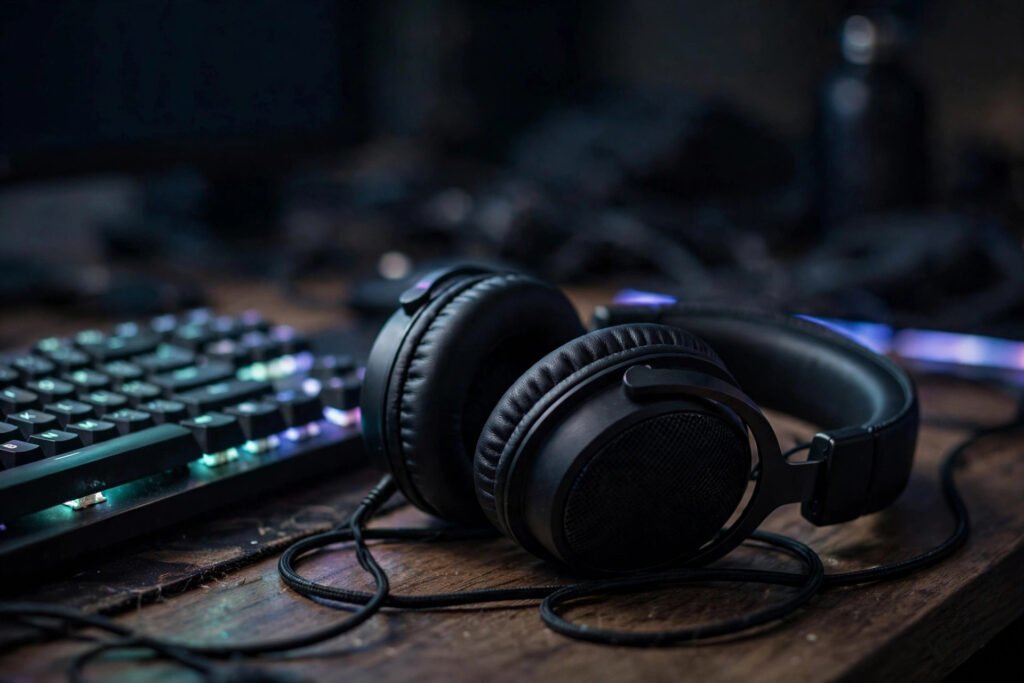
The Best Budget Headset for Gaming: What Actually Matters
A good headset doesn’t make you a better player. But a bad one makes you worse — you’ll miss the footsteps behind you, misunderstand the callout in the chaos, and end your session with a headache from the clamp force. The gaming headset market is a swamp of RGB lighting and meaningless spec sheets, with great $60 headsets hiding next to terrible $150 ones. Here’s how to find the best budget headset for gaming without overpaying for marketing.
What Actually Matters (and What Doesn’t)
Ignore: “7.1 surround sound” branding (it’s software processing, and stereo with good imaging beats fake surround), driver size as a quality metric (bigger drivers don’t mean better sound), and RGB lighting (it adds cost, zero performance). What matters: comfort for 3+ hour sessions (weight under ~350g, reasonable clamp force, breathable earcups), a clear microphone (your teammates hear you more than you hear yourself — mic quality is a team asset), and sound imaging — the ability to tell where sounds come from, which is genuinely competitive.
Also decide wired vs. wireless honestly. Wired is cheaper, lighter, zero latency, and never needs charging — the rational budget choice. Wireless costs more and adds weight, but freedom from cables is genuinely nice. At budget prices, wired almost always sounds better per dollar. Review sites like RTings’ headphone testing measure this stuff objectively — frequency response, mic quality, latency — cutting through marketing claims.
The Budget Tiers: What $30, $60, and $100 Get You
Under $40: serviceable but compromised. Expect decent sound, mediocre mics, and comfort that fades after two hours. Fine for casual play, kids, or a backup. The standouts in this tier are usually simple wired models from established audio brands rather than gaming brands — the gaming tax is real at the bottom.
$50–$80: the sweet spot. This is where you find headsets with genuinely good sound, clear mics, and all-day comfort — the tier where diminishing returns kick in hard. Multiple well-reviewed models live here permanently, and sales regularly drop $100 headsets into this range. If you buy one tier, make it this one.
$80–$120: premium budget. Wireless options become viable, build quality steps up (metal instead of all-plastic, replaceable ear pads), and mic quality approaches broadcast clarity. Worth it if you play daily or stream; overkill if you’re casual. Above $120 you’re paying for brand, features, or audiophile sound — not competitive advantage.
Comfort: The Spec Sheet Never Shows
Comfort is the #1 predictor of whether you’ll love a headset, and it’s the hardest to evaluate online. The variables: weight (under 300g is noticeably better than 380g+), clamp force (too tight causes headaches; too loose breaks the seal), earcup depth (ears shouldn’t touch the drivers), and heat (leatherette seals better but sweats; velour breathes but leaks sound). Glasses wearers need special attention — strong clamp plus glasses arms equals pain within an hour.
The practical move: buy from somewhere with a good return policy and wear the headset for a full week of real sessions before deciding. Twenty minutes in a store tells you nothing; hour three of a raid tells you everything. SoundGuys’ comfort-focused reviews are useful here because they test wear over time, not just first impressions.
Mic Quality: The Underrated Half
Your teammates experience your headset primarily as a microphone. Budget headset mics range from “perfectly clear” to “underwater robot,” and the difference is rarely price-correlated — some $60 headsets have better mics than $150 ones. What to look for: a detachable or flip-to-mute boom (mute indicators prevent hot-mic embarrassment), noise rejection that kills keyboard clatter, and natural voice tone rather than tinny compression.
Test yours properly: record a voice memo in your actual gaming environment (fan on, keyboard clacking) and listen back on phone speakers — that’s what your teammates hear. If it’s bad, a $20 clip-on mic often outperforms a $100 headset’s boom; there’s no shame in the two-piece solution.
Making the Final Pick
The decision framework: set your tier ($50–$80 for most people), list 2–3 well-reviewed models in it, filter by your deal-breakers (glasses? wireless? console compatibility — note that Xbox needs specific licensing for wireless), and buy the one with the best return policy. Don’t agonize: the difference between the top three budget picks is smaller than the difference between any of them and a bad $40 headset.
And remember the headset is part of a setup, not the whole thing. Pair it with sensible buying elsewhere — checking a used console before buying saves more money than any headset deal. If you’re buying for a young player, what to get a teenager who loves video games covers the full gift equation beyond audio.
Console Compatibility: The Fine Print
Headset compatibility is platform-specific in annoying ways. PlayStation works with nearly any wired headset via the controller’s 3.5mm jack, and most USB headsets too — it’s the most forgiving platform. Xbox is pickier: wired headsets work through the controller jack, but wireless headsets need Xbox-specific licensing (look for “Designed for Xbox” — standard Bluetooth won’t connect). Nintendo Switch supports wired through the headphone jack, with USB and Bluetooth support varying by game and system update.
PC is the wild west — everything works, but take advantage of it: use the platform’s spatial audio (Windows Sonic is free, Dolby Atmos for Headphones is a small one-time fee) rather than paying extra for headset-brand “surround.” And if you split time between console and PC, prioritize a headset with both a 3.5mm wired option and USB — the combo covers every platform without adapters or compromises.
Conclusion
The best budget headset for gaming is a $50–$80 wired model from an established brand: comfortable for long sessions, with a clear mic and good positional audio, bought somewhere with easy returns. Skip the RGB, ignore the “7.1” badges, and prioritize comfort above all — because the best-sounding headset in the world is worthless if it hurts to wear. Your ears, your teammates, and your wallet will all agree.
Frequently Asked Questions
How much should I spend on a gaming headset?
$50–$80 hits the sweet spot of sound quality, mic clarity, and comfort. Below $40 compromises comfort and mic; above $120 you’re paying for features and brand rather than competitive advantage.
Are wireless gaming headsets worth it?
At budget prices, usually not — wired sounds better per dollar with zero latency and no charging. Wireless becomes worthwhile around $100+, where the convenience justifies the premium.
How long do budget gaming headsets last?
Typically 2–4 years with daily use. The usual failure points are cables (buy detachable if possible) and ear pads (replaceable pads extend life dramatically). Treat the cable gently and they last.
Do I need 7.1 surround sound for gaming?
No. Good stereo headphones with accurate imaging provide better positional audio than most “virtual surround” processing. Game engines already do sophisticated 3D audio; the headset just needs to reproduce it faithfully.
Can I use one headset for both console and PC?
Yes — look for models with both 3.5mm wired and USB connections. Wired 3.5mm covers PlayStation, Xbox controllers, Switch, and PC universally; USB adds convenience on PlayStation and PC.
Why does my headset hurt after an hour?
Usually excessive clamp force, too much weight, or shallow earcups pressing on your ears. Glasses make it worse. Try stretching the headband gently overnight, or switch to a lighter model with deeper cups.