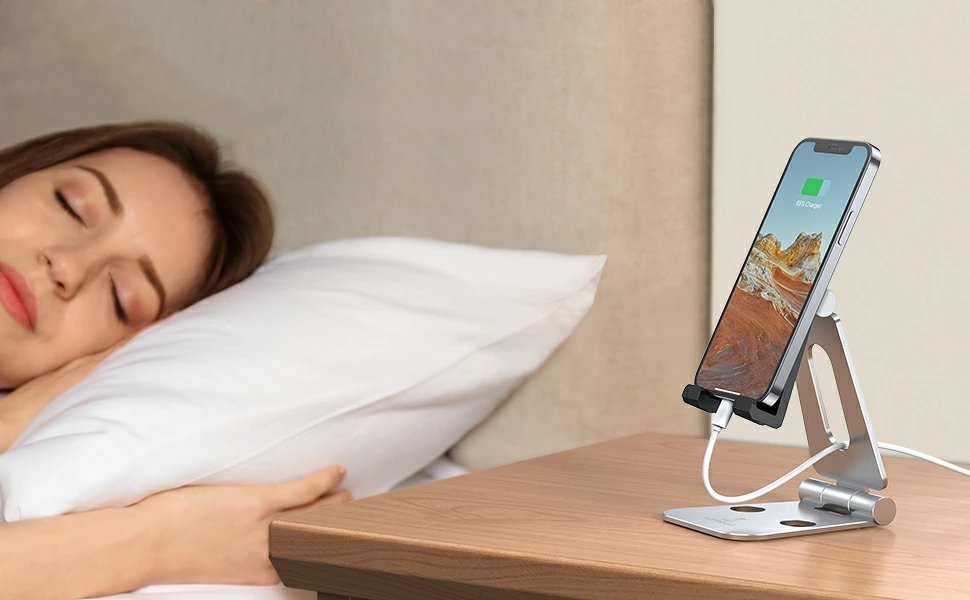
Is It Safe to Charge My Phone Overnight Every Night?
Is It Safe to Charge My Phone Overnight Every Night?

It’s the most common charging habit in the world: plug in at bedtime, unplug at the alarm. But somewhere along the way, someone told you it ruins your battery — and now you’re wondering: is it safe to charge my phone overnight every night, or should you be setting a 2 AM alarm to unplug?
The short answer: yes, it’s safe. Modern phones are much smarter about charging than the phones that spawned this worry. But ‘safe’ and ‘optimal for battery lifespan’ are slightly different things. Here’s what’s actually happening while you sleep.
Is it safe to charge my phone overnight every night?
What Your Phone Does After It Hits 100%
Here’s what the fear-mongers miss: your phone doesn’t keep force-feeding the battery all night. Once it reaches 100%, charging stops and the phone runs off the charger, letting the battery drift down slightly before topping up again. More importantly, both iPhone and Android now have adaptive charging: your phone learns your wake-up time and holds the battery at 80% most of the night, only completing the final 20% shortly before your alarm. The battery spends minimal time at full charge — which is the state that ages it fastest.
This is a solved problem at the software level. The old advice (‘never leave it plugged in!’) dates to an era before charge controllers and adaptive algorithms. Your 2026 phone manages this better than you could manually.
The Real Enemies: Heat and 100% (Sometimes)
If overnight charging has any downside, it’s heat — not overcharging. A phone fast-charging under a pillow in a warm bedroom, in a thick case, stays warmer all night than one charging on a cool nightstand. Heat accelerates battery aging more than anything else in normal use. The fix is simple: charge on a hard surface, consider removing the case, and keep the bedroom reasonably cool. See our guide on stopping phones from overheating while charging for the full playbook.
The other nuance: lithium batteries age fastest when held at 100% in heat. Adaptive charging handles the timing, but if your schedule is irregular (shift work, unpredictable wake times), the phone can’t learn your pattern and may hold 100% longer. In that case, consider setting a manual charge limit — iPhones offer an 80% limit option, and many Androids have similar settings. For most people with regular schedules, though, just enable optimized charging and forget about it.
The Practical Setup
Do this once and stop worrying: on iPhone, go to Settings > Battery > Battery Health & Charging and enable Optimized Charge Limit (or the 80% limit if your schedule is irregular). On Samsung, it’s Settings > Battery > Battery protection; on Pixel, Settings > Battery > Adaptive charging. Use a slower charger overnight if you have one — a 5W or 12W brick generates less heat than a 30W fast charger, and speed doesn’t matter while you sleep.
What about the ‘unplug at 80%’ maximalists? They’re technically right that 20–80% cycling maximizes lifespan, but the gain over adaptive overnight charging is marginal — maybe a few percent of capacity after two years — and the hassle is enormous. Batteries are consumables; even with perfect habits, expect noticeable degradation after 2–3 years. When that day comes, a battery replacement ($50–$100) is cheaper than years of charging anxiety.
Quick Answers
- Yes, it’s safe: modern phones stop charging at 100% and use adaptive charging to protect the battery.
- Enable optimized/adaptive charging — the single most important setting.
- Fight heat, not the charger: hard cool surface, case off if it runs warm, no pillows.
- Use a slow charger overnight — speed doesn’t matter while you sleep; heat does.
- Irregular schedule? Set a manual 80% charge limit instead of relying on adaptive learning.
- Don’t stress the 20–80% rule: marginal gains, massive hassle. Batteries are consumables.
- When it degrades: $50–$100 battery replacement beats years of charging anxiety.
The Bottom Line
Is it safe to charge your phone overnight every night? Yes — modern charge controllers and adaptive charging make this a non-issue for safety and a minor one for longevity. Enable optimized charging, keep the phone cool, and sleep easy.
The battery will still age — that’s chemistry, not a moral failing. But the difference between careful overnight charging and obsessive unplugging is tiny, while the difference between a cool nightstand and a hot pillow is significant. Optimize the big lever (heat), ignore the small one (timing), and replace the battery in a few years without guilt.
Frequently Asked Questions
Does fast charging damage the battery more than slow charging?
Yes, somewhat — fast charging generates more heat and stresses the battery chemistry more than slow charging. The difference is modest with modern battery management (maybe 5–10% more degradation over two years), not catastrophic. Practical approach: fast charge when you need speed, slow charge overnight when you don’t. The optimized charging features handle most of this automatically. Don’t overthink it — heat management matters more than charge speed.
Is it bad to use my phone while it’s charging?
For the battery, mildly — using the phone while charging adds processor heat on top of charging heat, and the combination accelerates aging. For safety, no — modern phones handle it fine. The real-world advice: light use (scrolling, texting) while charging is harmless; gaming or video calls while fast-charging generates the heat trifecta. If your phone gets hot during use-while-charging, that’s your cue to let it rest.
Should I charge to 100% or stop at 80%?
For maximum lifespan, 80% — batteries age slowest in the 20–80% range. For real life, 100% with optimized charging enabled — the phone manages the 80% hold automatically overnight and finishes before you wake. The manual 80% limit makes sense for people with irregular schedules (the phone can’t learn your pattern) or battery maximalists. Everyone else: enable optimized charging and stop thinking about it. The science of lithium-ion aging confirms heat and high voltage as the two accelerants — optimized charging addresses both.
Do I need to ‘calibrate’ my phone battery?
No — that’s a nickel-cadmium-era myth. Lithium-ion batteries don’t develop memory effects, and modern phones calibrate themselves. The ‘drain to 0% then charge to 100%’ ritual does nothing except add an unnecessary deep discharge (which mildly stresses the battery). If your battery percentage seems inaccurate, a single full 0–100% cycle can help the gauge relearn — but as a one-time fix, not a routine.