Is It Safe to Use Public Wi-Fi for Online Banking on My Phone?
Is It Safe to Use Public Wi-Fi for Online Banking on My Phone?

You’re at the airport, you need to check whether a payment cleared, and the only connection is the free airport Wi-Fi. Your thumb hovers over the banking app while a little voice asks: is it safe to use public wifi for online banking on my phone? You’ve heard horror stories about hackers on coffee shop networks, but you’ve also heard ‘everything is encrypted now.’ Which is it?
The short answer is: it’s much safer than it used to be, but ‘safer’ isn’t ‘safe.’ Let me explain what’s actually protecting you, where the real risks are, and the simple precautions that make mobile banking on public Wi-Fi a non-issue.
Is it safe to use public wifi for online banking on my phone?
What Actually Protects You (It’s Not the Wi-Fi)
Here’s the key insight: your banking app doesn’t rely on the Wi-Fi network for security. It uses TLS encryption — the same technology behind the padlock in your browser — to create a private tunnel directly between your phone and the bank’s servers. Even if someone is snooping on the coffee shop network, all they see is scrambled gibberish. Modern banking apps also use certificate pinning, which means they refuse to connect if something tries to intercept the connection.
This is why the old advice (‘never bank on public Wi-Fi!’) is outdated. That advice came from the HTTP era, when data traveled in plain text. Today, the encryption happens at the app level, independent of the network. A hacker on the same public Wi-Fi cannot read your banking session just by being on the same network — despite what dramatic news segments imply.
Where the Real Risks Actually Are
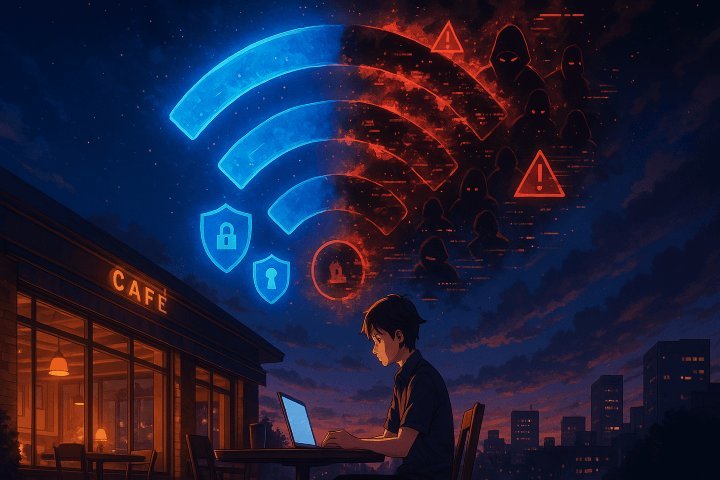
So what’s the actual danger? It’s not passive snooping — it’s trickery. The biggest real-world threat is the evil twin attack: a hacker sets up a fake hotspot named ‘Starbucks WiFi’ or ‘Airport Free WiFi,’ and when you connect, they can try to redirect you to fake login pages. Always verify the exact official network name with staff, and be suspicious of networks that don’t require any splash-page login when the real one does.
The second risk is your own behavior: fake banking apps and phishing. If you downloaded your bank’s app from the official App Store or Play Store, you’re fine. But never log into your bank through a link in a text message or email while on public Wi-Fi (or anywhere) — that’s how most ‘public Wi-Fi banking hacks’ actually happen. It’s not the network; it’s the phishing. Our guide on telling whether a website is safe covers the red flags.
The Simple Precautions Worth Taking
If you want to be extra careful — and there’s no harm in it — use your phone’s cellular data for banking instead of public Wi-Fi. It takes two seconds to toggle Wi-Fi off, and cellular connections are significantly harder to intercept. That’s my actual recommendation for anything involving money: just use 5G/LTE and skip the question entirely.
If you must use public Wi-Fi, a reputable VPN adds a useful layer by encrypting everything leaving your phone, not just the banking app. Turn off auto-join for public networks in your Wi-Fi settings so your phone doesn’t hop onto sketchy hotspots without asking. And keep your phone’s OS updated — most real-world mobile attacks exploit old unpatched vulnerabilities, not Wi-Fi eavesdropping. For the full picture on network safety at home too, see why Wi-Fi drops in one room — a weak home signal drives people to public networks in the first place.
Quick Answers
- Safest option: use cellular data (toggle Wi-Fi off) for banking. Takes two seconds.
- Verify network names: ask staff for the exact official hotspot name; beware lookalike ‘evil twin’ networks.
- Use the official app from the App Store/Play Store — never log in via text/email links.
- Consider a VPN on public Wi-Fi for an extra encryption layer on all traffic.
- Turn off auto-join for public networks so your phone doesn’t connect silently.
- Keep iOS/Android updated: real attacks target unpatched phones, not encrypted sessions.
- After banking: ‘forget’ the public network so you don’t auto-reconnect later.
The Bottom Line
Is it safe to use public Wi-Fi for online banking on your phone? With a modern banking app, yes — reasonably safe, thanks to app-level encryption that doesn’t depend on the network. The horror stories are mostly outdated or actually about phishing, not Wi-Fi snooping.
Still, the two-second fix is unbeatable: toggle to cellular data when money is involved. It’s free, it’s faster than worrying, and it makes the whole question moot. Save the public Wi-Fi for scrolling the news, and keep your banking on a connection you don’t share with thirty strangers.
Frequently Asked Questions
Can hackers see my passwords on public Wi-Fi?
Not from your banking app — modern apps encrypt everything end-to-end with TLS, so snoopers see only scrambled data. The real password threats on public networks are fake login pages (evil twin hotspots redirecting you) and shoulder surfing (someone literally watching you type). Use the official app, verify the network name, and nobody on the coffee shop Wi-Fi is reading your credentials out of the air. That’s a 2005 problem, not a 2026 one.
Is a VPN necessary for public Wi-Fi?
Necessary? No — your banking and most apps already encrypt their traffic. Useful? Yes, as a general privacy layer: a VPN hides which sites you visit from the network operator and other snoopers, and encrypts traffic from apps with weaker security. If you handle sensitive work on public networks regularly, a reputable paid VPN ($3–$5/month) is cheap insurance. Free VPNs are a privacy risk themselves — if you’re not paying, your data is the product. The FTC’s online privacy guidance covers the fundamentals.
What about public Wi-Fi at hotels — is it riskier?
Hotel Wi-Fi has the same technical risks as any public network, plus one extra: captive portals (the login pages) are a phishing opportunity — fake portals can harvest credentials or install malware. Never download ‘required software’ from a captive portal; real ones just need a room number or accept button. For the truly cautious, a travel router that connects to the hotel Wi-Fi and rebroadcasts your own private network ($30–$50) isolates your devices from everyone else’s on the hotel LAN.
Should I do anything after using public Wi-Fi?
Two quick habits: ‘forget’ the network afterward so your phone doesn’t auto-reconnect (attackers set up evil twins with common names like ‘Hotel WiFi’ hoping your phone auto-joins), and turn off auto-join for public networks generally. If you logged into anything sensitive and something felt off (weird redirects, certificate warnings), change those passwords from a trusted network. Certificate warnings in particular are a red flag — never click through them on public Wi-Fi.